From one score to a safer site
Screenshots from our test site with WordPress 7.1 and the real vulnerability list. The bakery and its plugins are made up.
One score, and what to do next
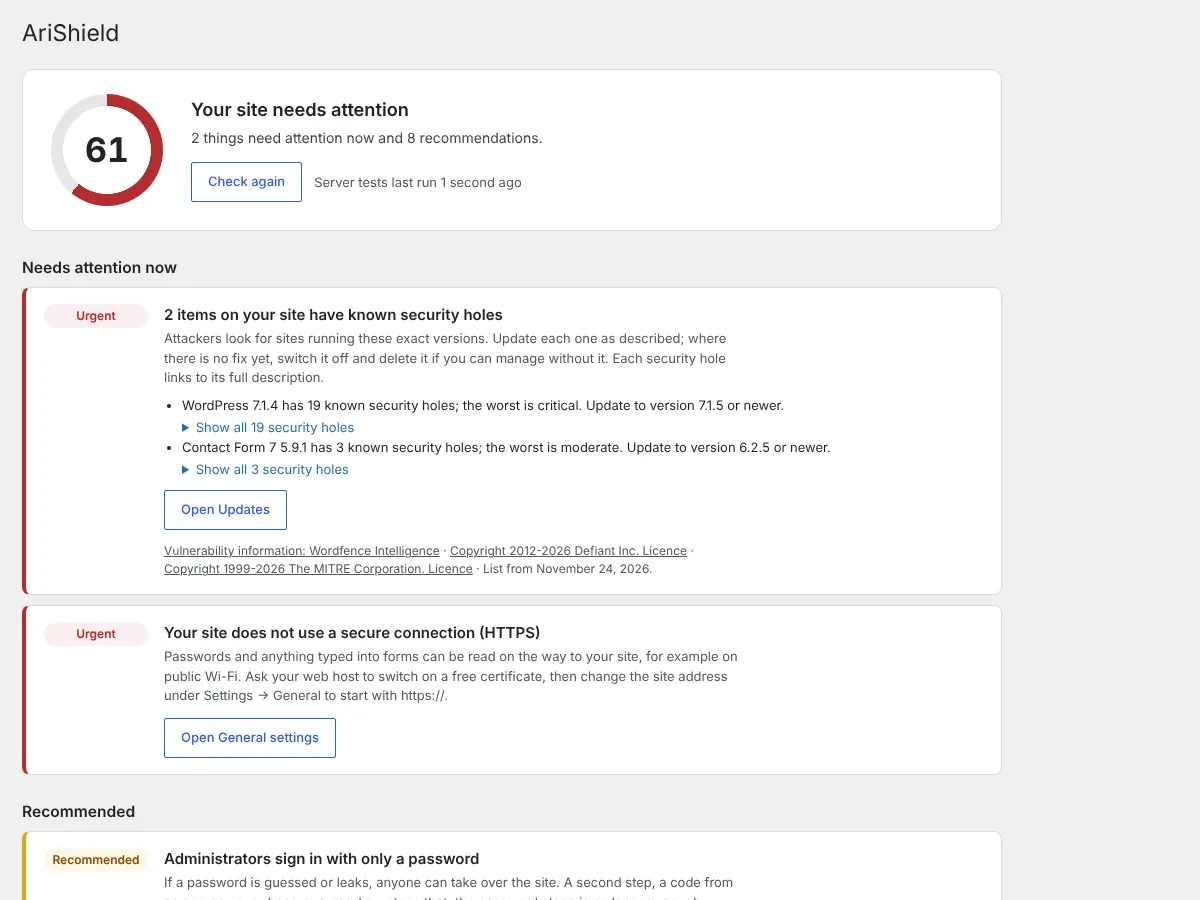
A score out of 100, then the findings in three groups: needs attention now, recommended, and passed. Each finding says what is wrong, why it matters and what to do, with a button that takes you to the right screen. Status is always written in words, never shown by colour alone.
Known security holes, the day they matter
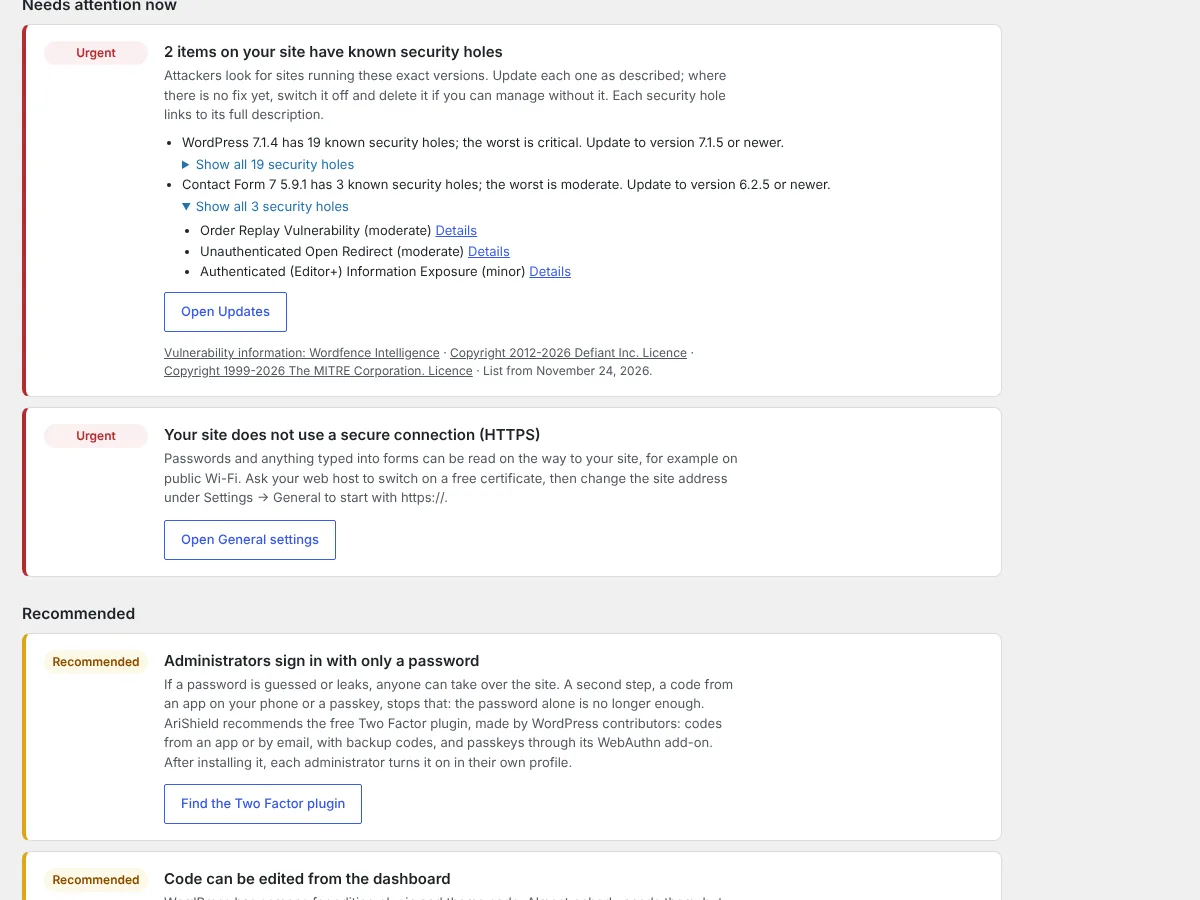
Switch alerts on, and AriShield checks every day whether a plugin, theme or WordPress version you run has a known security hole. One line per item says how many holes it has, the worst rating, and the one update that fixes them all. Where there is no fix yet, it tells you to switch the plugin off and delete it.
Fix it, and undo it
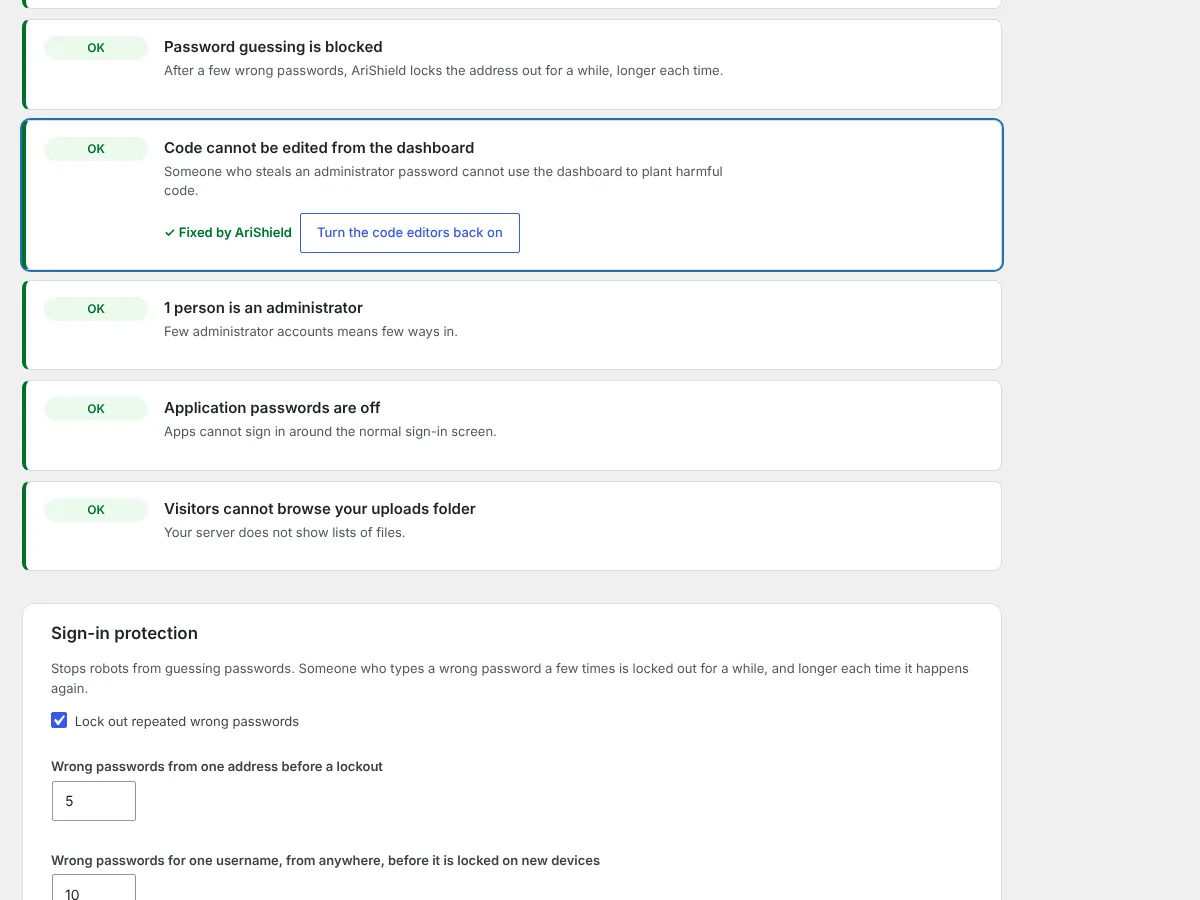
Six fixes are one click: turn off the code editors, close XML-RPC, hide usernames from visitors, add protection headers, switch off unused application passwords and stop the uploads folder from listing your files. Every fix has an undo button, and the screen shows the result straight away.
Stop password guessing, never lock yourself out
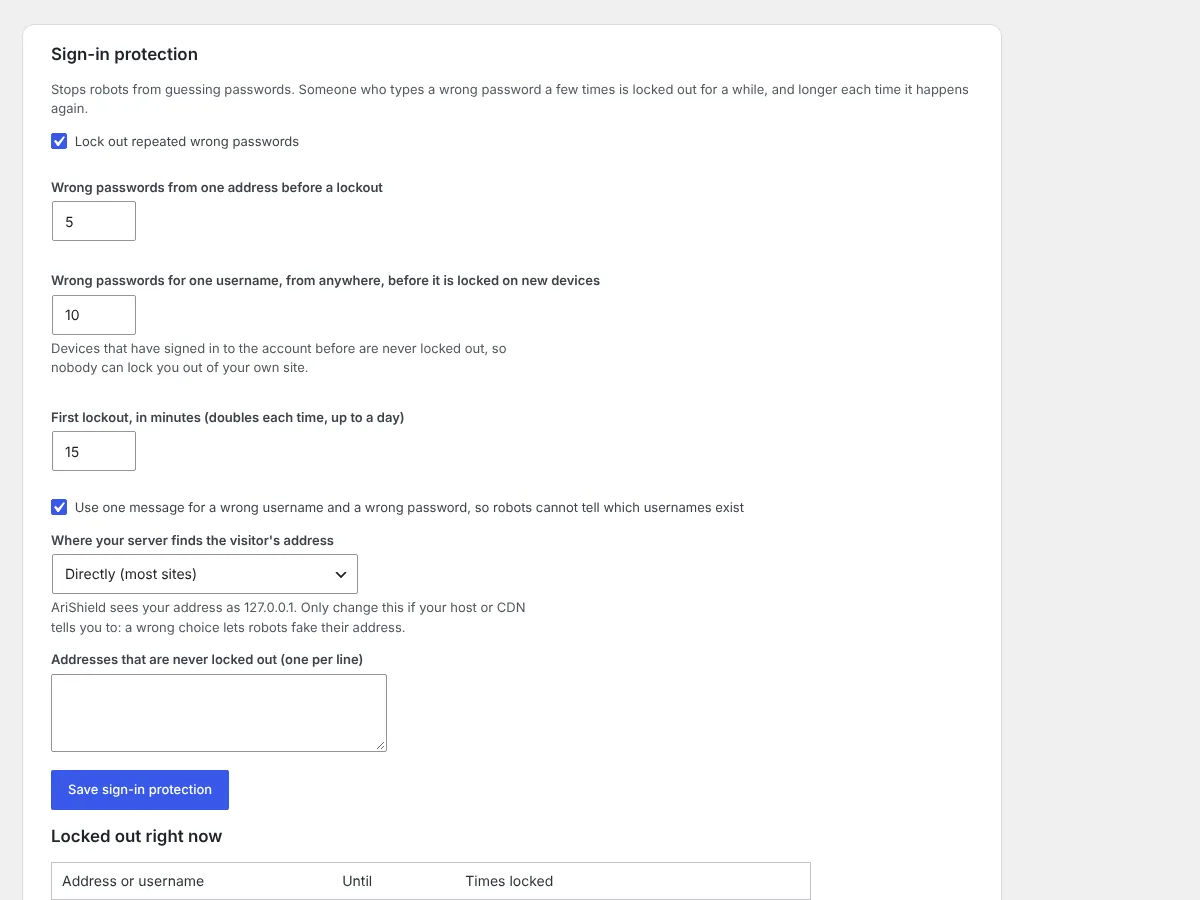
After a few wrong passwords, an address is locked out for a while, and longer each time. Devices that have signed in to an account before are never locked out, so nobody can lock you out of your own site. Locked addresses are listed with an Unlock button.
An email when something changes
AriShield emails you when someone becomes an administrator or a plugin is installed, the two moments a break-in usually shows itself. Each email says who did it, from which address, and what to do if it was not you. A short summary every Monday is there if you want it.
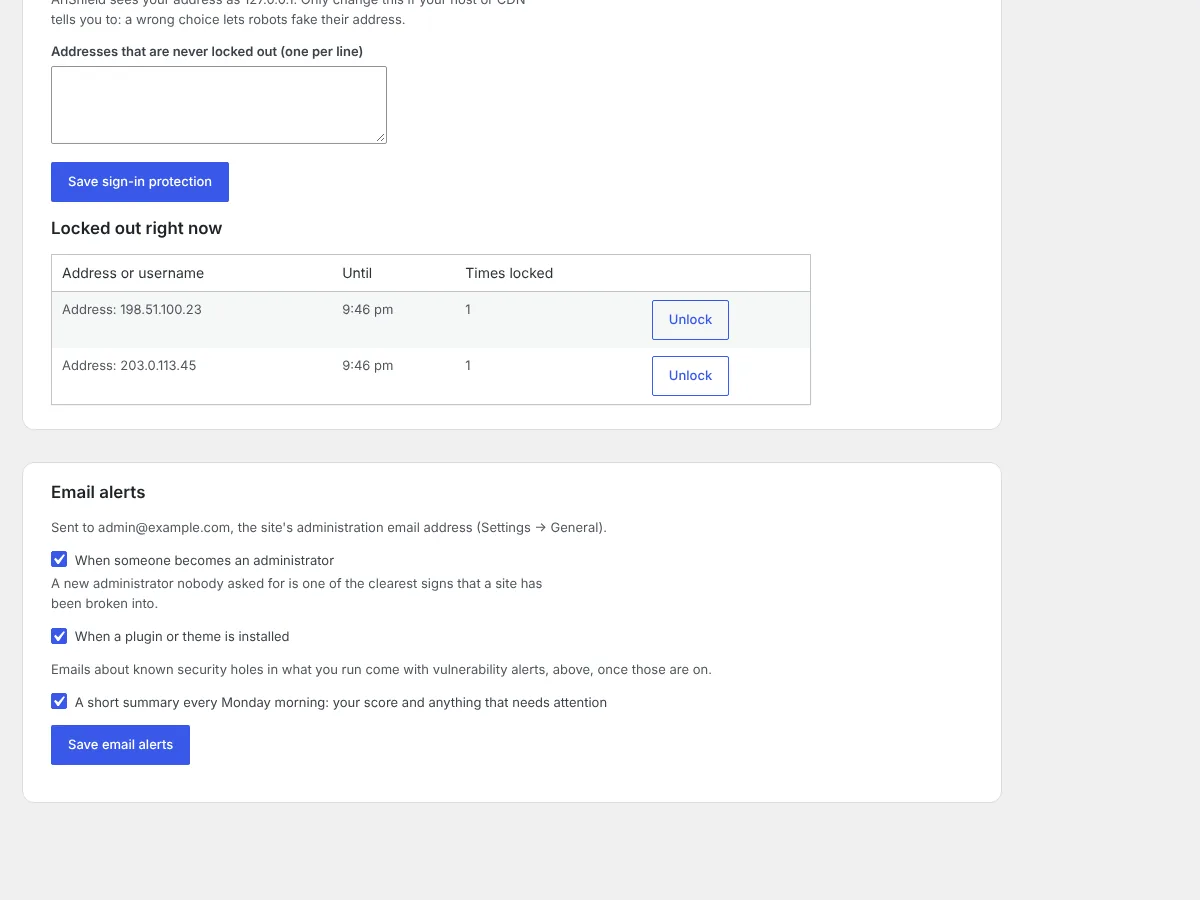
In English and Norwegian
Every screen and every email is in Norwegian Bokmål and Nynorsk as well as English. The descriptions of the security holes come from Wordfence Intelligence and stay in English.
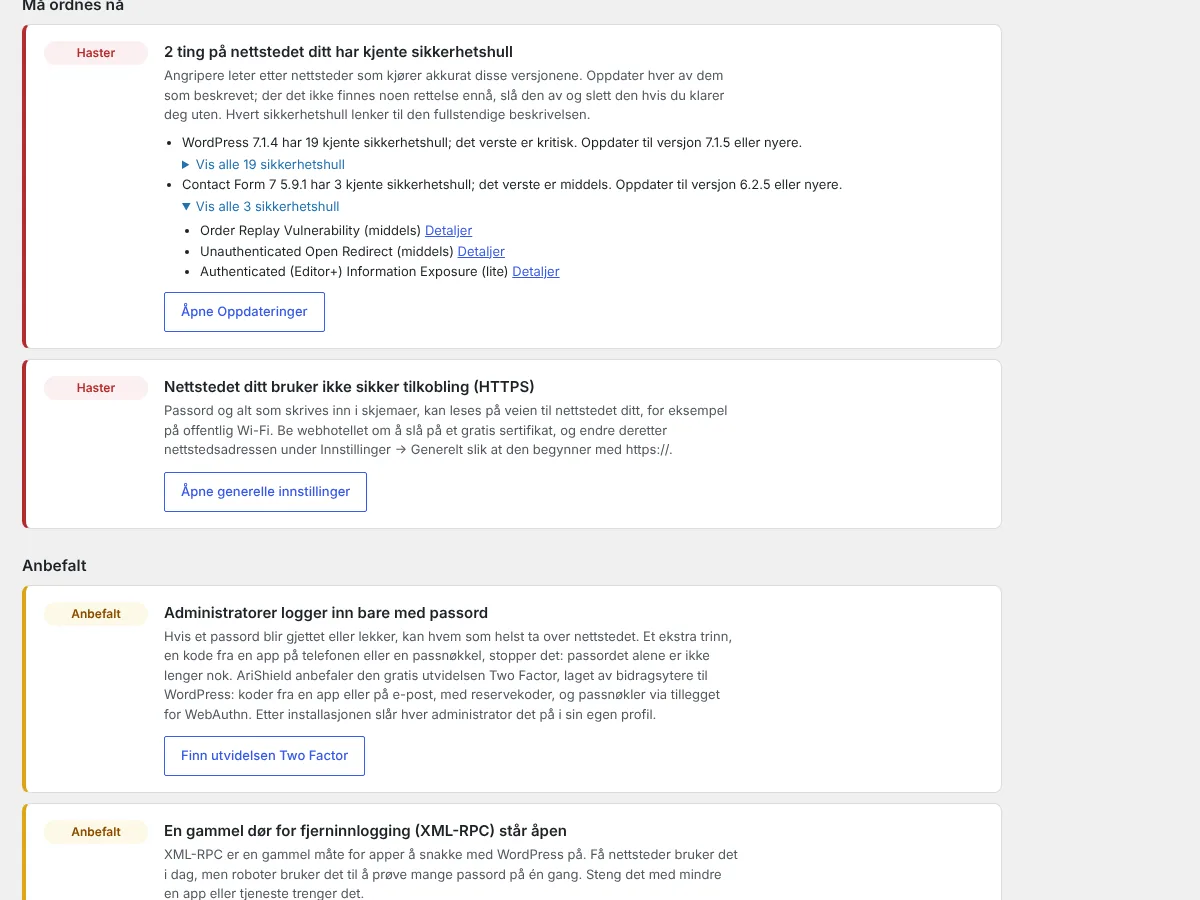
Check, fix, then keep watch
AriShield does the remembering, so you only act when something needs you.
Open AriShield
The check runs as soon as the plugin is active: updates, PHP version, error messages, stray copies of wp-config.php, open doors such as XML-RPC, administrator accounts and more.
One click, with undo
Fix what can be fixed safely, follow the advice for the rest, and watch the score go up. Nothing is changed until you press a button.
A daily check, and an email
Once alerts are on, the site is checked against the list every day and after every install or update. You get an email when something new turns up.
The details behind the score
A security plugin must not become a risk itself. These are the parts we built with that in mind.
Nothing about your site leaves it
Vulnerability alerts download the whole list from arihub.com once a day and check it on your site, so nobody learns which plugins you use. The download is off until you switch it on.
Fixes that change no files
Every fix is a setting inside WordPress, undone with one click. The only file AriShield adds is an empty one that stops the uploads list, and it removes it again on undo.
Counted right under attack
Failed sign-ins are counted in one database step, so a robot sending many guesses at once is counted for every one of them.
Data with a source
The vulnerability list comes from Wordfence Intelligence by Defiant, the free database used by Wordfence itself. Every finding links to its full record, with the licence shown next to it.
Accessible
Every AriShield screen passes an automatic WCAG 2.2 AA check, works with a keyboard alone, and fits a phone.
Light on your site
The checks run when you open the screen and once a day in the background. Visitors' pages get three small headers if you add them, and nothing else.
What it does not do
No firewall, no malware scanner
AriShield does not filter traffic or scan files for malware. If you need those, use it next to a firewall plugin or your host's scanner.
Two-factor through a partner plugin
AriShield checks whether your administrators sign in with a second step and recommends the free Two Factor plugin, made by WordPress contributors. It does not add its own.
Alerts need the daily download
Vulnerability alerts work by downloading the list from arihub.com. Our web server logs the address that asks for it, as every web server does; nothing else is sent.
Schedules need visits
Like all WordPress schedules, the daily check runs after the next visit to your site. On a very quiet site, a real cron job keeps it on time, and an SMTP plugin helps emails arrive.
Want to know where your site stands? Test it
We are looking for a few site owners and agencies to test AriShield before it is released. Tell us about your site and the security plugins you use today.
Frequently asked
Is AriShield free?
Yes. The security check, the fixes, sign-in protection, vulnerability alerts and email alerts are all in the free plugin. Pro, later, adds what costs us money to run or what agencies need, such as reports for many sites.
Do I need a Wordfence account or API key?
No. AriHub downloads the Wordfence Intelligence data once a day and publishes a smaller list that AriShield reads. You need nothing but the plugin.
Can I use it with Wordfence or another security plugin?
Yes. The checks and alerts work next to any of them. If both plugins lock out wrong passwords, switch off one of the two sign-in protections.
Can I lock myself out?
No. Devices that have signed in to your account before are never locked out, and you can list addresses that are never locked, such as your office.
What is sent to AriHub?
Nothing about your site. With alerts on, the plugin downloads the public list once a day, like any web download, with the user agent "AriShield" and its version.
What does it need?
WordPress 6.6 and PHP 7.4 or newer. It is tested with WordPress 7.1 and PHP 8.3, and works alongside WooCommerce.