From the booking form to a full day
Screenshots from our test site with WordPress 7.1. Studio Nord, its staff and its customers are made up.
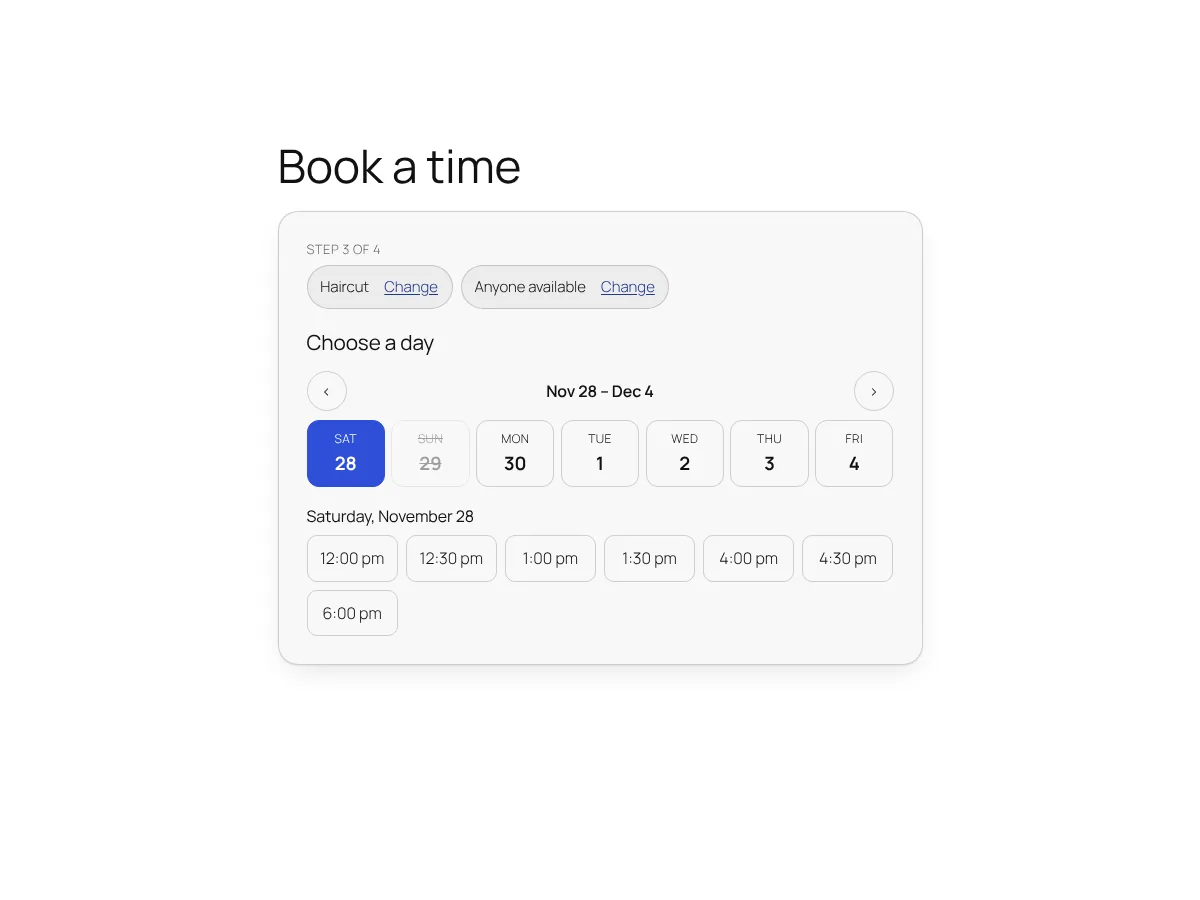
A booking form people finish
Service, person or anyone available, day, time, details, done. It works with a keyboard and a screen reader, fits phones, follows your theme's colours and loads one small script only on the page with the form. Two people choosing the same time at the same moment get one booking and one polite "that time was just taken".
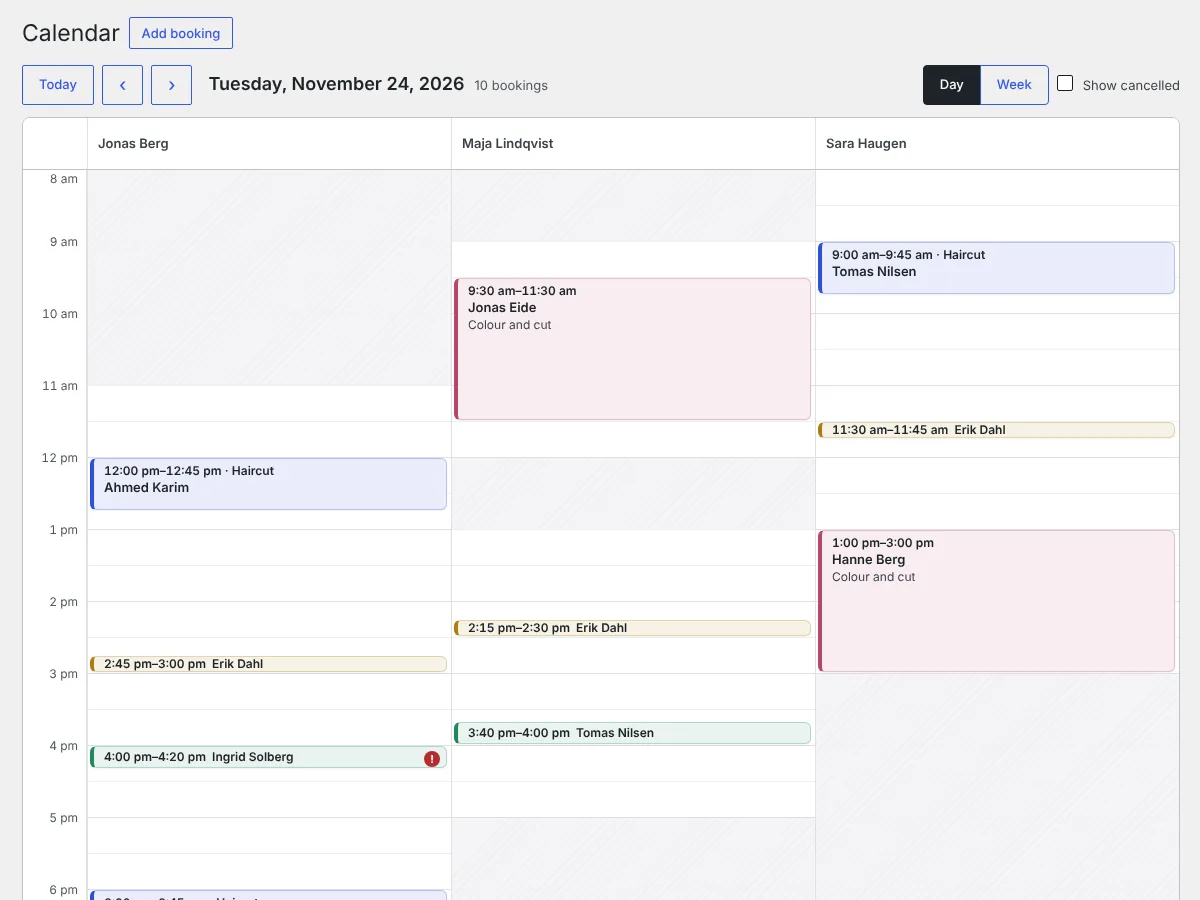
The day at a glance
A column for each person, working hours shaded, and a line for now. Or a week for one person. Short bookings stay readable, and a customer who has missed bookings before carries a small warning.
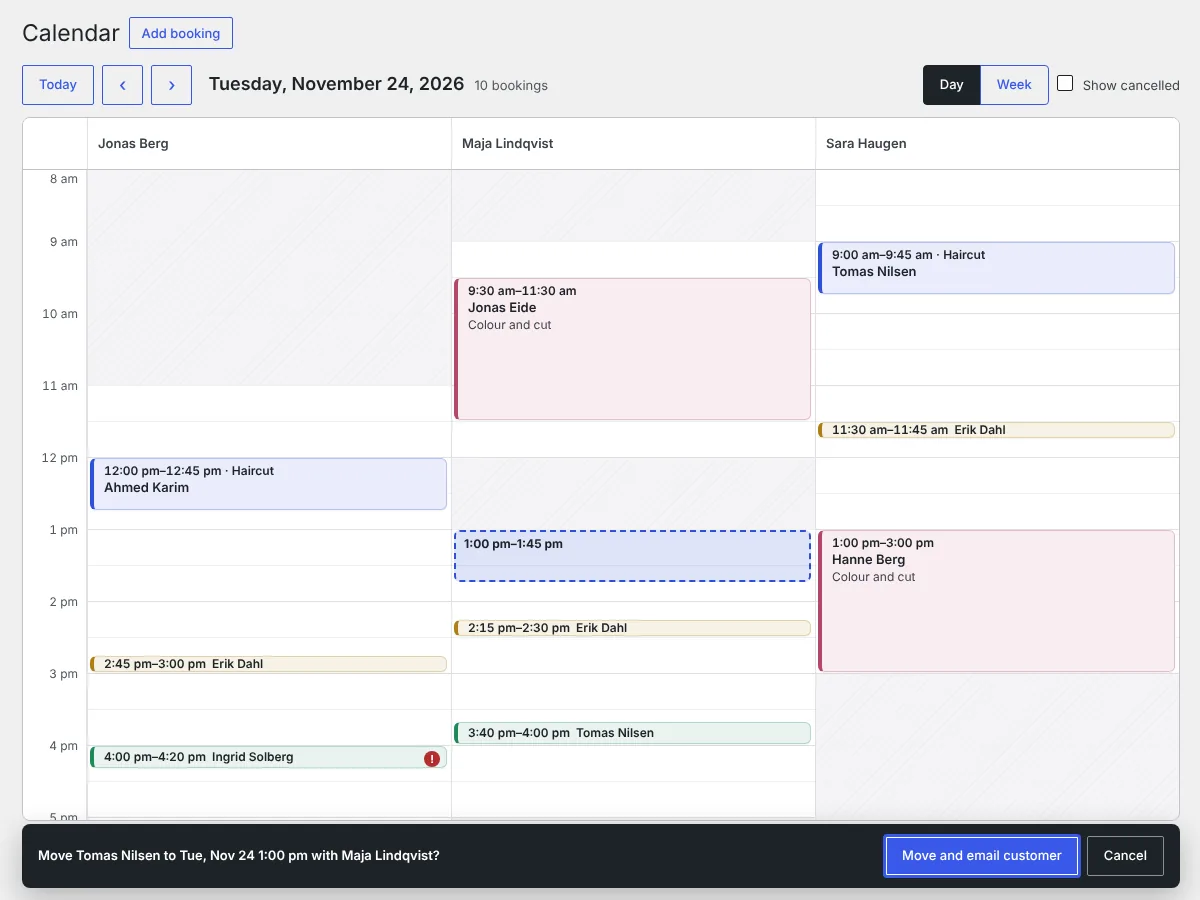
Move a booking without a phone call
Drag a booking, use the arrow keys, or use the form beside it. Nothing moves on drop: the customer gets an email, so the calendar asks first and warns when the new time is outside someone's hours. Hand a booking to a colleague who offers the same service, and both of you are told.
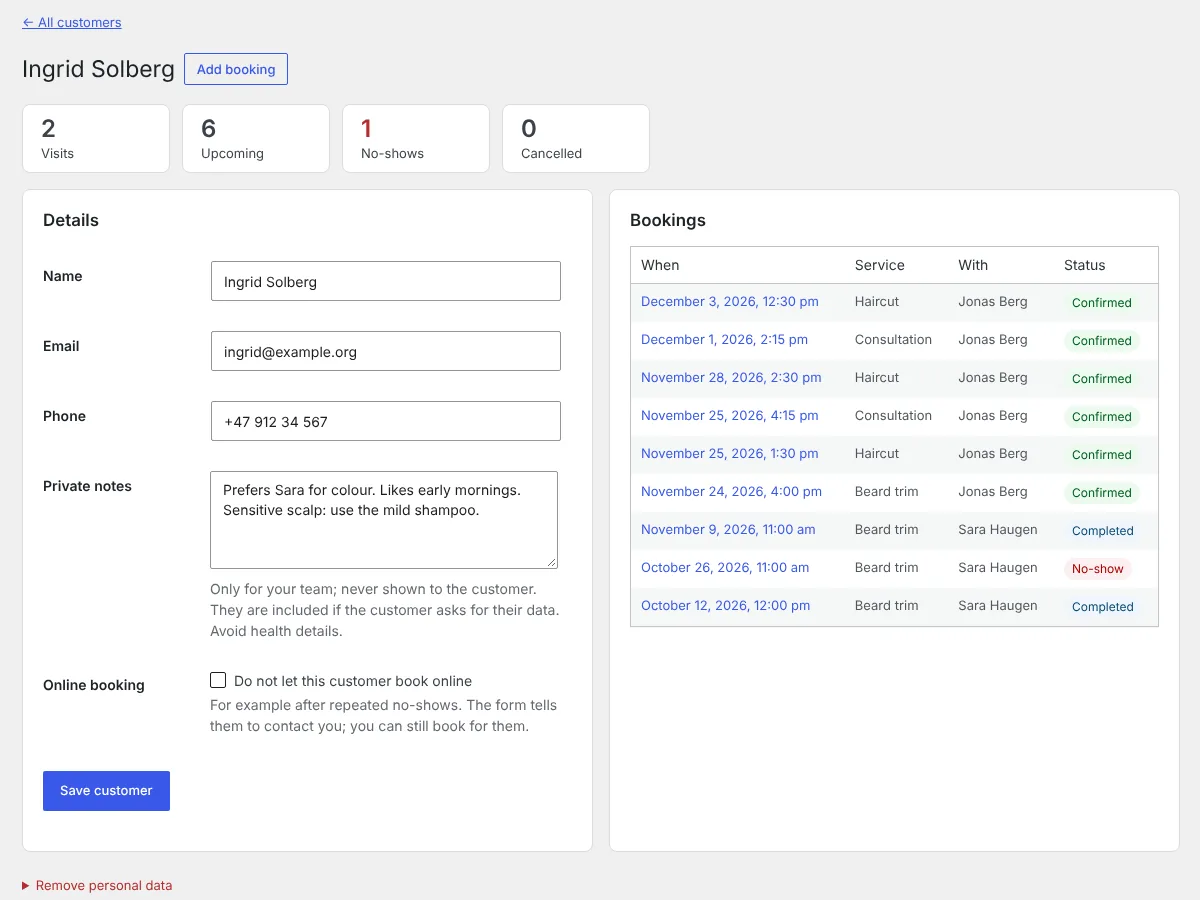
Know your regulars
Visits, last visit, next booking and no-shows for everyone who has booked, with private notes for your team. For customers who keep not turning up, one tick stops them booking online: the form asks them to call, and you can still book them yourself.
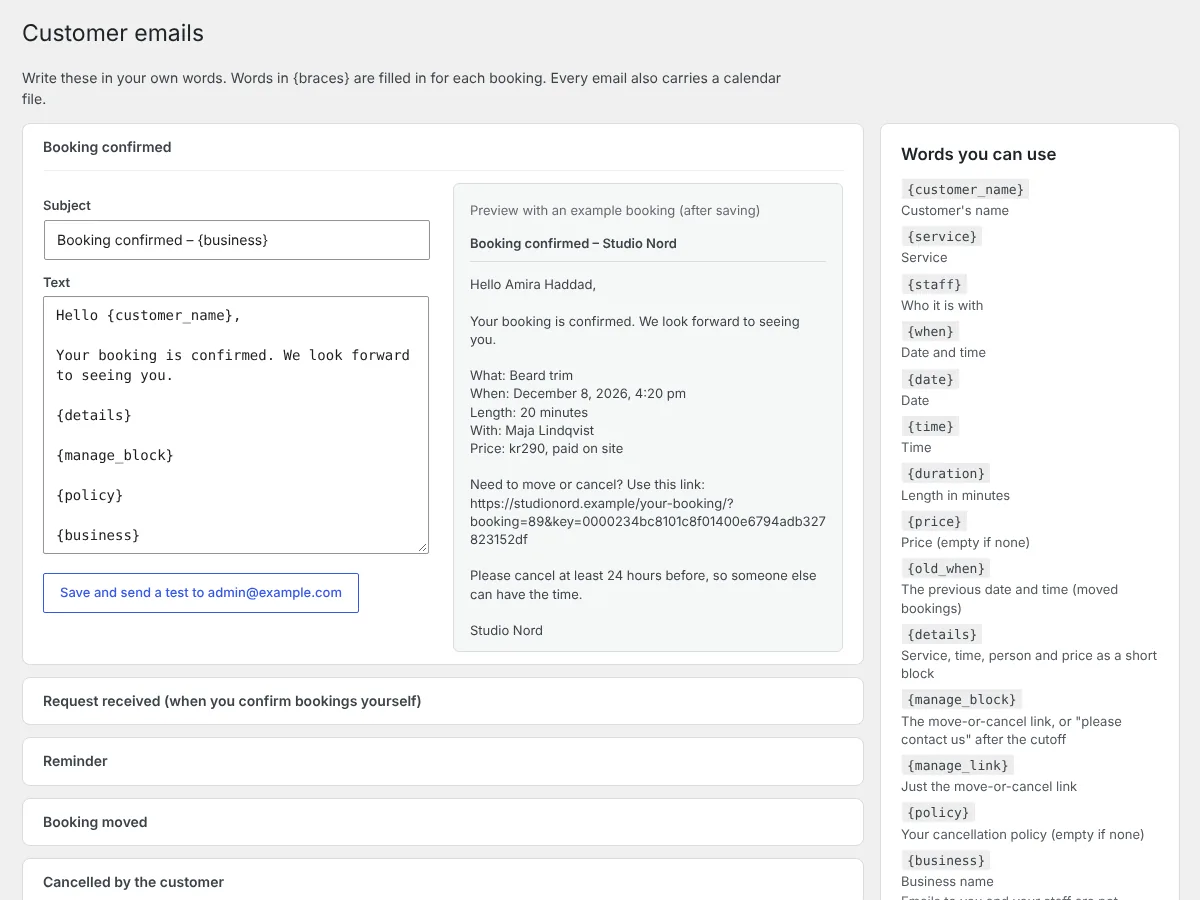
Emails in your own words
Rewrite the confirmation, the reminder and the rest, with words like {customer_name} and {when} filled in for each booking. Preview with an example, send yourself a test, and get a warning if a text loses its move-or-cancel link. Every email carries a calendar file.
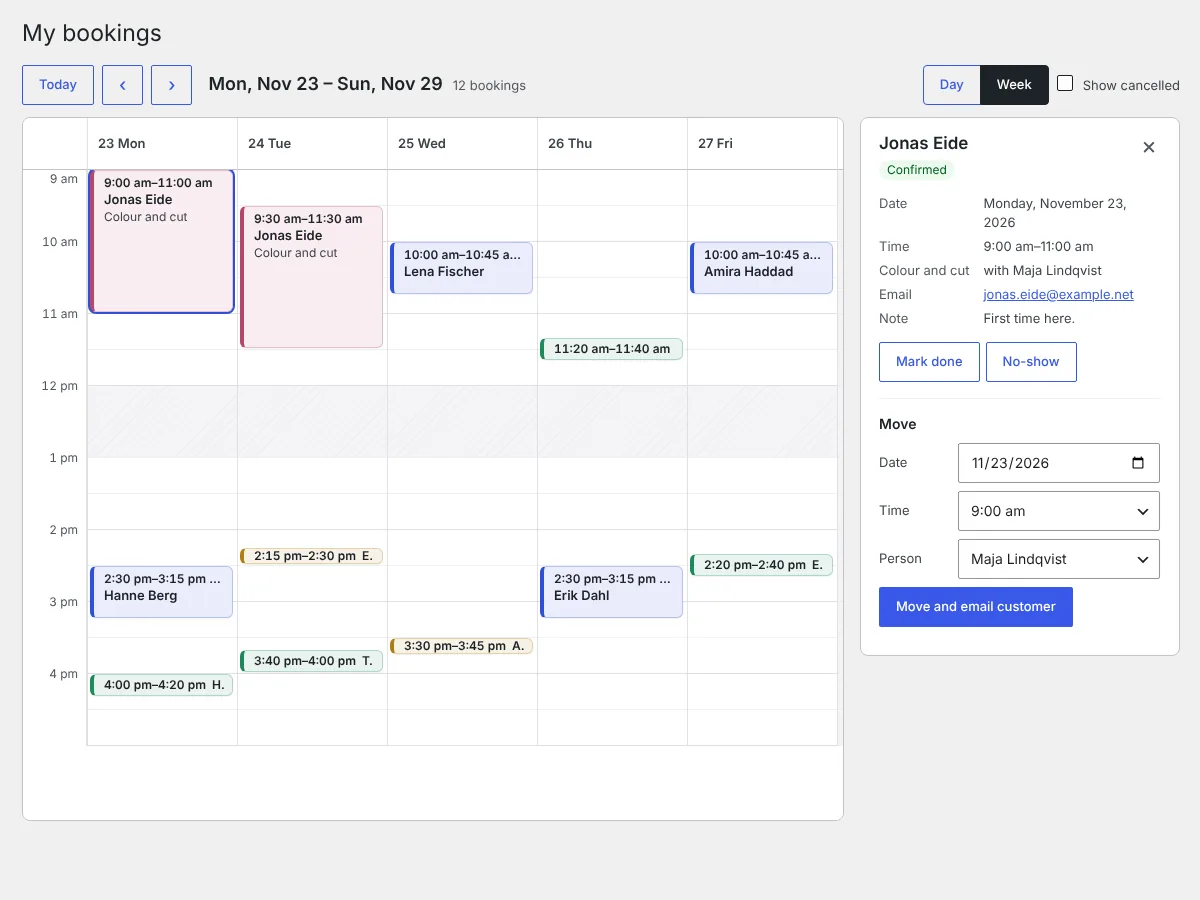
A login for each colleague
Link a staff member to a WordPress login and they get "My bookings": their own calendar, where they mark bookings done or as no-shows and move their own bookings. They cannot cancel or see other people's bookings, your customers or your settings. Each person can also subscribe to their bookings in Apple Calendar, Google Calendar or Outlook.
Booked, reminded, kept or moved
Every booking follows the same path. You set the times; AriBooking does the remembering.
The customer picks a time
Only times that are really free are shown, from each person's hours, days off, buffers and your notice rules. The confirmation email carries a calendar file and a personal link.
Two reminders before the day
By default 24 hours and 2 hours before, each sent once. Each has the link to move or cancel, so a change of plan becomes a free time for someone else.
Moved or cancelled by the link
Up to the cutoff you set, the customer moves or cancels on their own, and the calendar file in their phone moves with it. After the cutoff, the link asks them to contact you.
The details behind a calm day
Booking software only shows its quality when the day gets busy. These are the parts we built for that.
Never double-booked
Each booking is checked again inside a database lock for that person, so two people pressing "book" at the same moment can never both get the time.
Time zones and clock changes
Free times and the calendar follow your site's time zone, including the nights the clocks change, when a 10:00 booking still shows at 10:00.
Links that keep working
Each booking has its own secret, so the link in an older email still works after the booking has been moved, and a guessed link opens nothing.
Private by default
Bookings stay in your WordPress database. No third-party captcha, no tracking, no calls to AriHub. Personal data can be exported and erased, staff notes included.
Accessible everywhere
The booking form, on light and dark themes alike, the calendar and every admin screen pass an automatic WCAG 2.2 AA check, and the calendar can be used with a keyboard alone.
In Norwegian
The booking form, the emails and every screen are in Norwegian Bokmål and Nynorsk as well as English.
What it does not do yet
Payment is on site
Prices are shown and paid at the appointment. Online payment and deposits are planned for AriBooking Pro, not this plugin.
One-way calendar subscription
Bookings appear in Google or Apple Calendar, but busy times there do not block times here. Two-way sync is planned for Pro.
One service, one person
A booking is one service with one person. Group classes, packages, waiting lists and several locations are not part of this version.
Reminders need visits
Like all WordPress schedules, reminders go out after the next visit to your site. On a very quiet site, a real cron job keeps them on time, and an SMTP plugin helps emails arrive.
Want fewer empty chairs? Test it
We are looking for a few salons, clinics and consultants to test AriBooking before it is released. Tell us what you offer, how many people take bookings and how you book today.
Frequently asked
Is AriBooking free?
Yes. Reminders, the move-or-cancel link, the calendar, customers, staff logins and email editing are all in the free plugin, with no limits on staff, services or bookings.
Can customers book without choosing a person?
Yes. "Anyone available" shows every free time across the people who offer the service, and the booking goes to the person who is free, the least busy one that day if several are.
What happens when two people pick the same time?
The first gets it. The second is told the time was just taken and sees the free times again. This is checked in the database, so it holds on busy sites too.
Can I stop someone who keeps not turning up?
Yes. On the customer's page, tick "Do not let this customer book online". The form then asks them to contact you, and you can still book them in the admin.
Does it take payments?
Not in this plugin. Prices are shown and paid on site. Online payment and deposits with Stripe and Vipps MobilePay are planned for AriBooking Pro.
What does it need?
WordPress 6.5 and PHP 7.4 or newer. It is tested with WordPress 7.1 and PHP 8.3 on MariaDB, and works alongside WooCommerce.